Diet Market
A personalised meal plan, from the first question to the doorstep.
Diet Market runs healthy-meal subscriptions in Qatar. We built the member app and the configurable Odoo platform behind it, which handles sales, dietitians, the kitchen and dispatch, so a customer can go from “what's my goal?” to a box at the door without a single phone call.
- Market
- Qatar · EN / AR
- Platforms
- iOS · Android · Odoo
- App
- 45 screens · v1.4.7
- Payments
- Sadad · Tabby · Card
Role
Product, UX/UI, mobile engineering, Odoo back office
Stack
- React Native 0.82
- Redux Toolkit
- Reanimated 4
- i18next
- Odoo
- OneSignal
- Crashlytics
Chapters
/Meal plans run on WhatsApp and spreadsheets
The problem
The brief: one system where the customer drives their own plan, and every change flows straight to the kitchen and the driver.
A diet-meal business is really four businesses at once: sales (plans and subscriptions), nutrition (dietitians and goals), a kitchen that has to know tomorrow's exact ingredients, and dispatch that has to get every box to the right door.
When those live in chats and spreadsheets, customers can't change a meal without messaging someone, the kitchen guesses quantities, and nobody can say who changed a plan, or when.
/Ask once, personalise everything
Onboarding that builds the plan
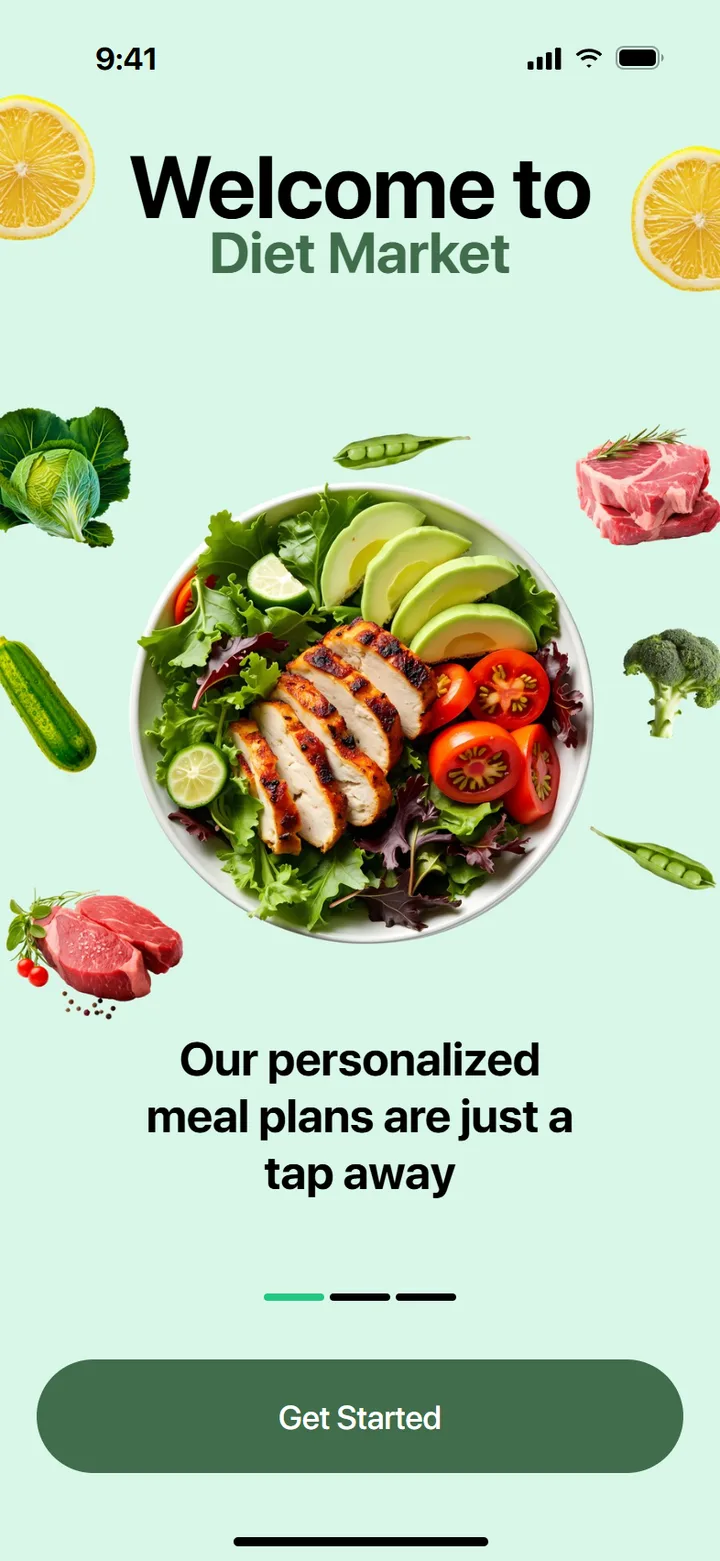
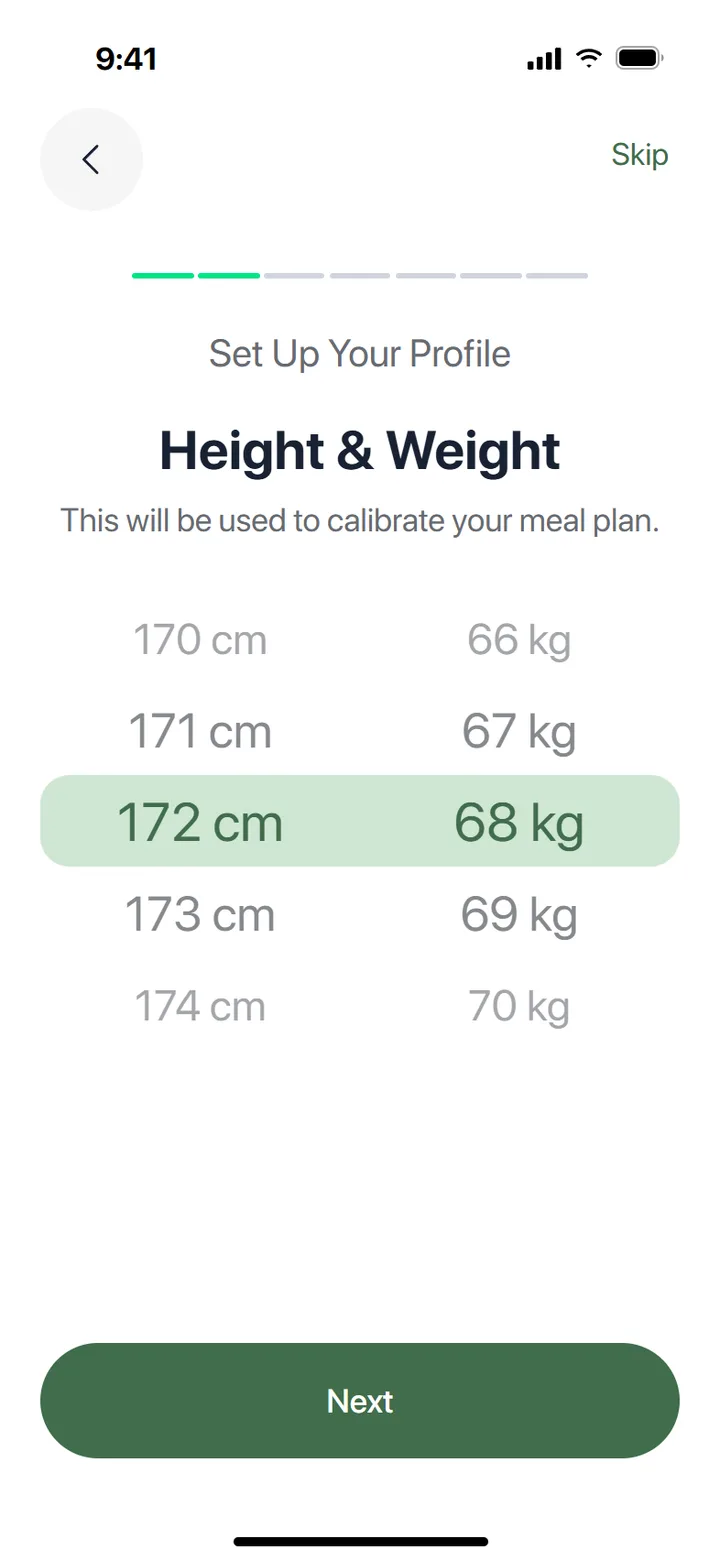
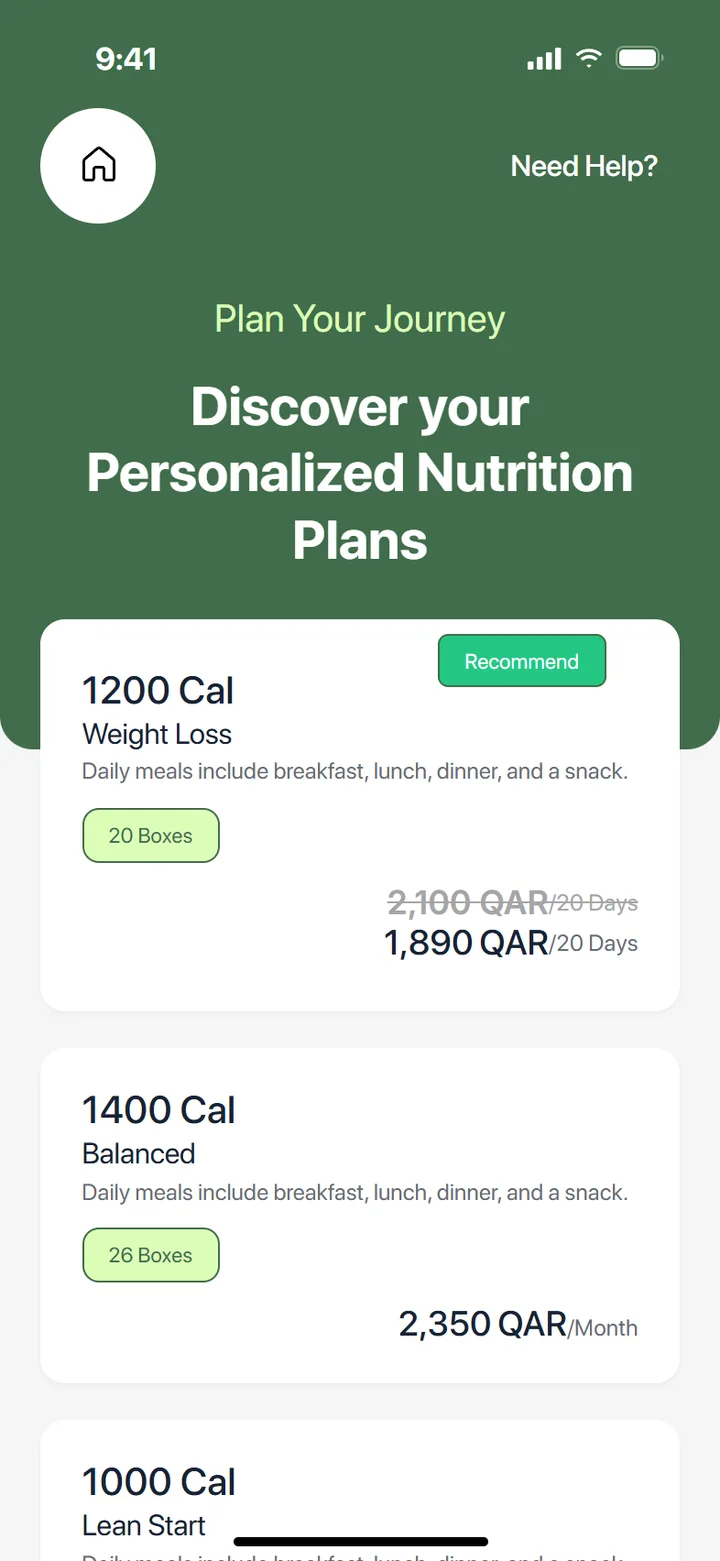
Sign-up is a short wizard, not a form: birth year, height and weight on wheel pickers, daily water intake, allergies and dislikes, activity and a goal (lose weight, build muscle, improve stamina). Then a loading moment, “Hang tight, we're building your personalized plan”, and a recommended plan.
Guests can skip all of it and browse packages first. The app only asks for commitment once it has shown value.
/A calendar of boxes, not a list of orders
The menu is the product
Scroll through a subscriber's week, from picking meals to the box at the door.
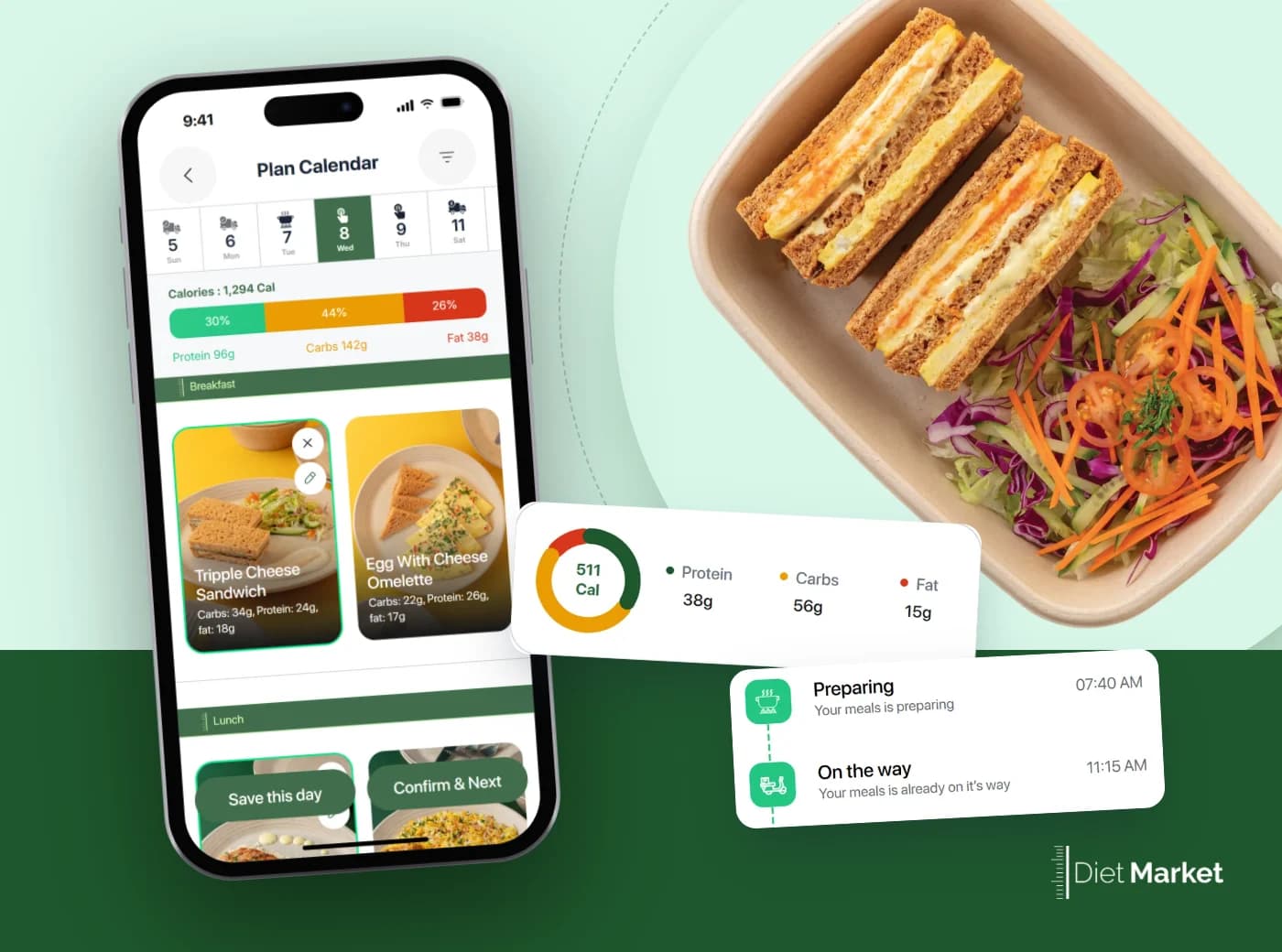
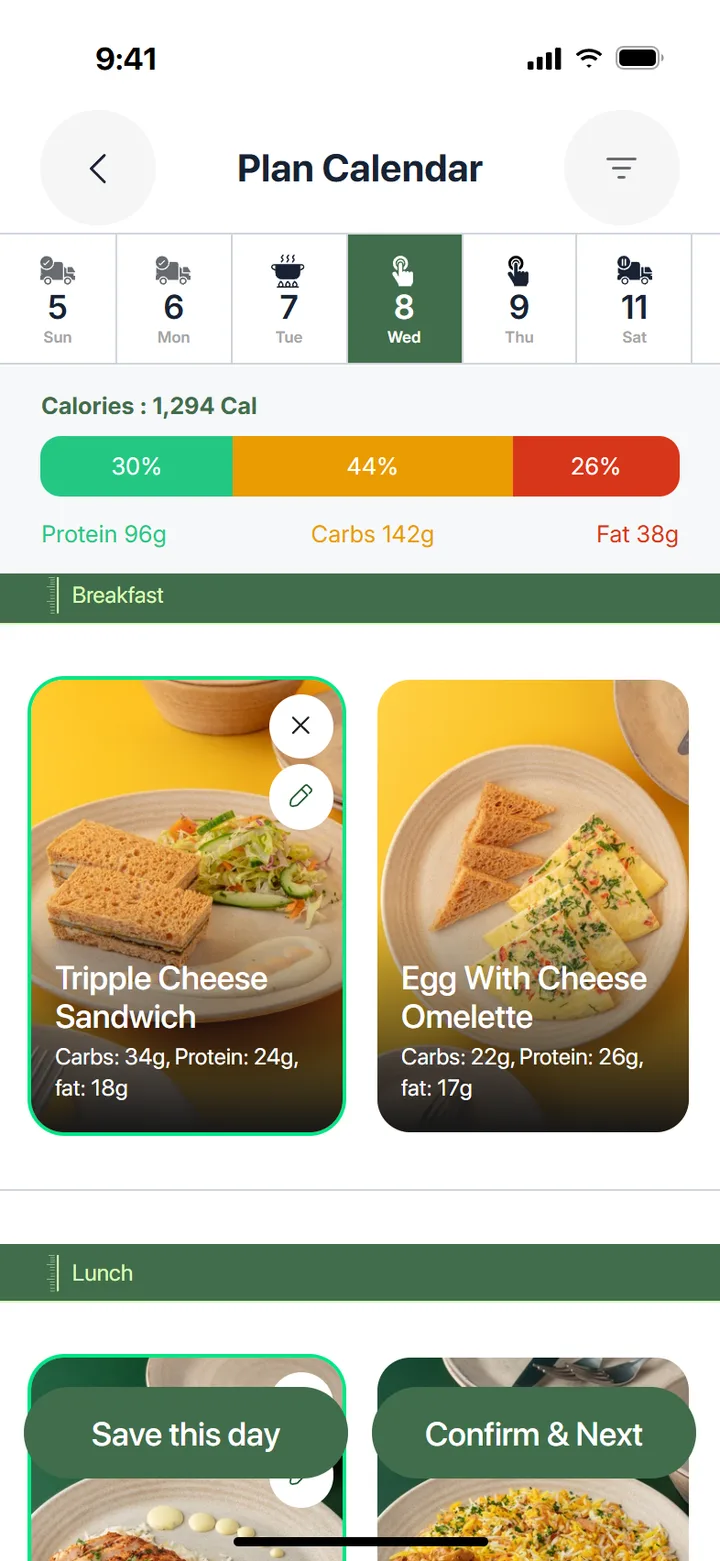
01 · Plan calendar
Every day has a state
Days move from select-meal to meal-selected, preparing and delivered, or sit frozen. Preparing and delivered days lock automatically.
02 · Meal detail
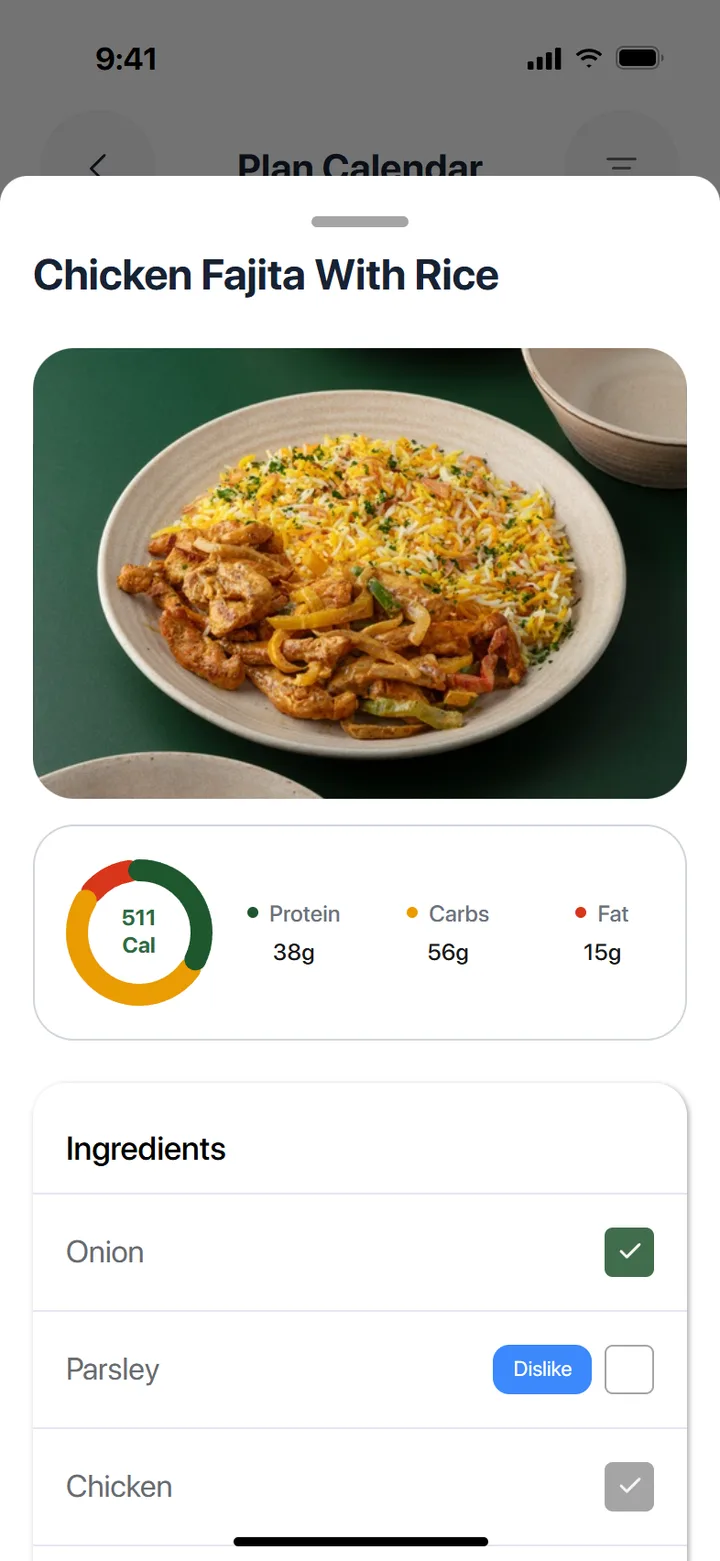
Macros and ingredients up front
Calories, protein, carbs and fat per meal, with removable components and anything on the customer's dislike list flagged.
03 · Checkout
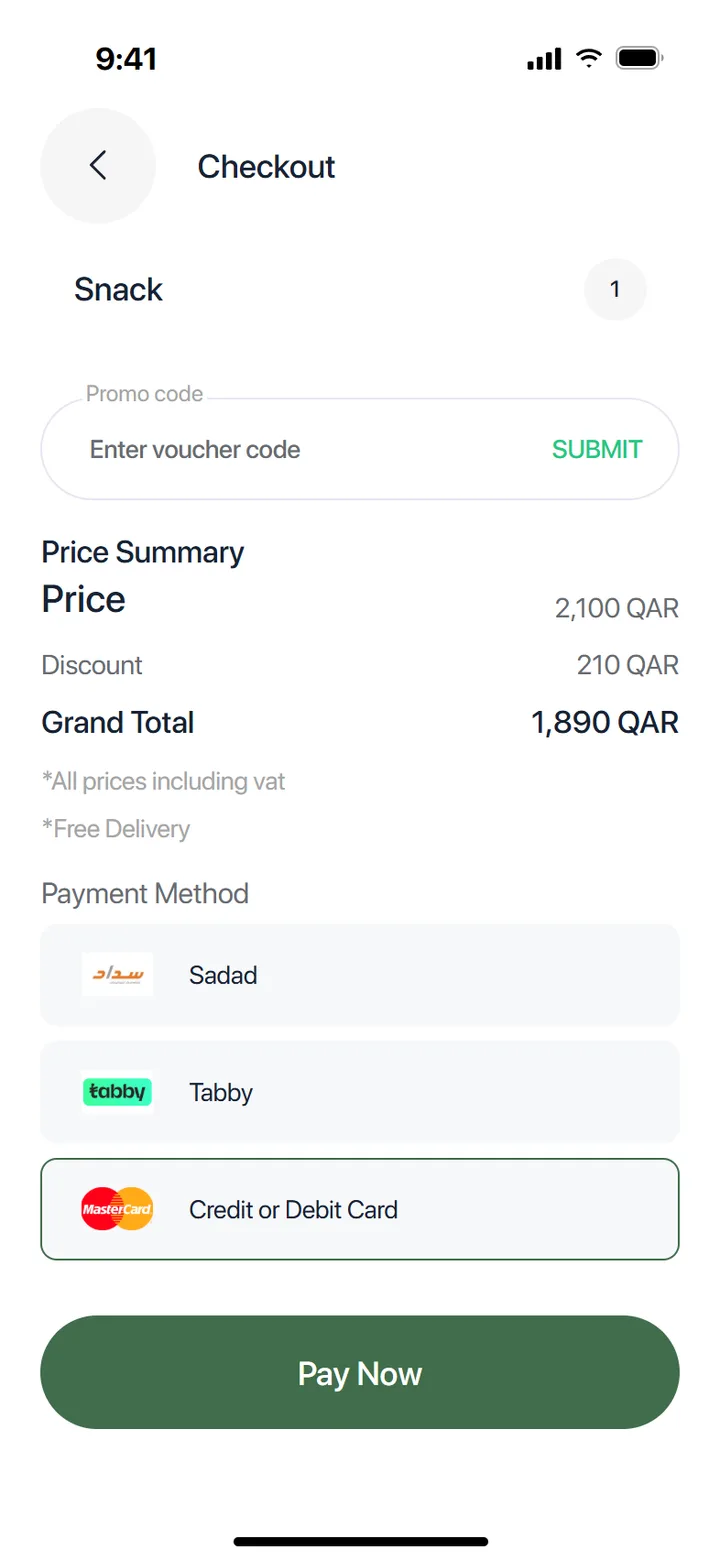
Local payments, hosted securely
Promo codes, VAT-inclusive totals and Sadad, Tabby or card, paid on a hosted checkout inside the app.
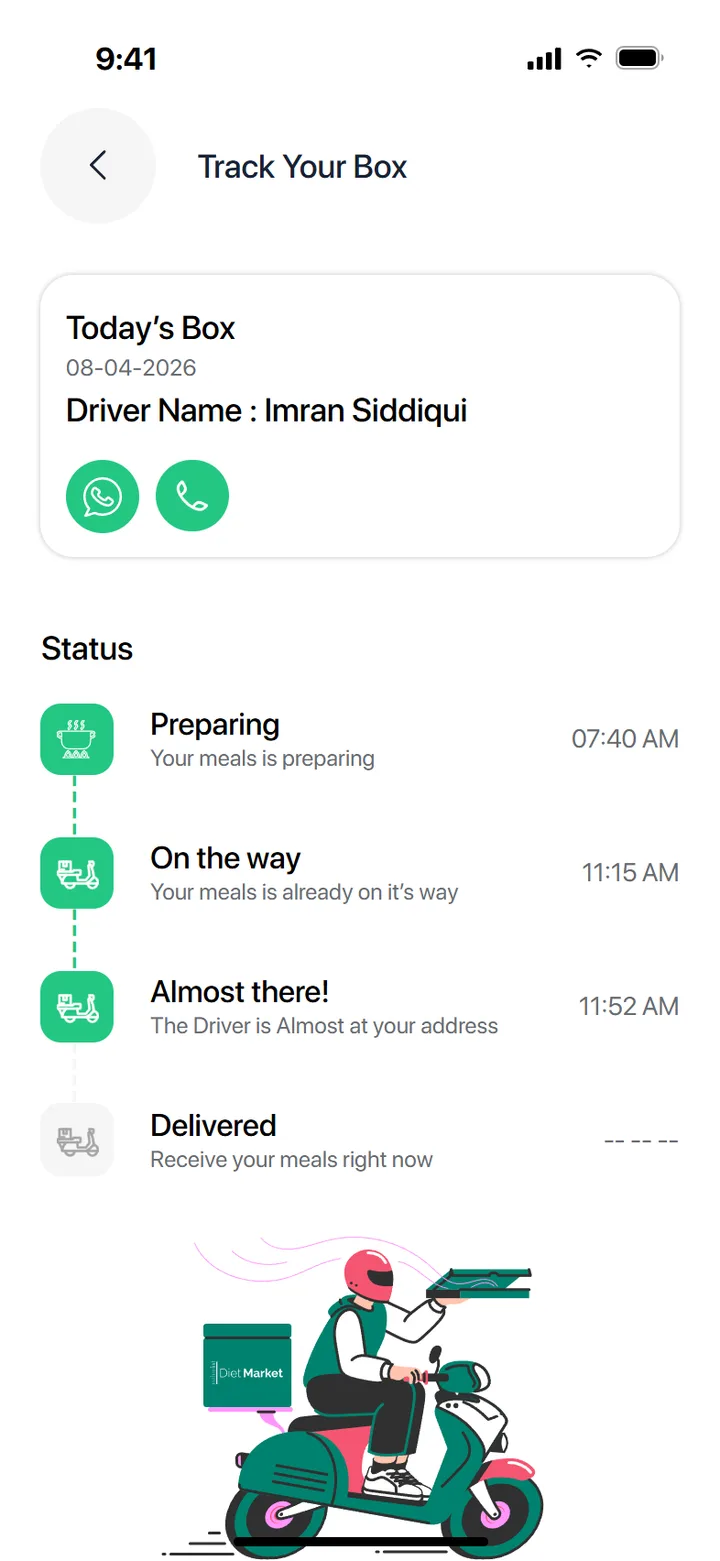
04 · Track your box
Preparing, on the way, delivered
The driver's name with one-tap call and WhatsApp, and the box's status as it leaves the kitchen.
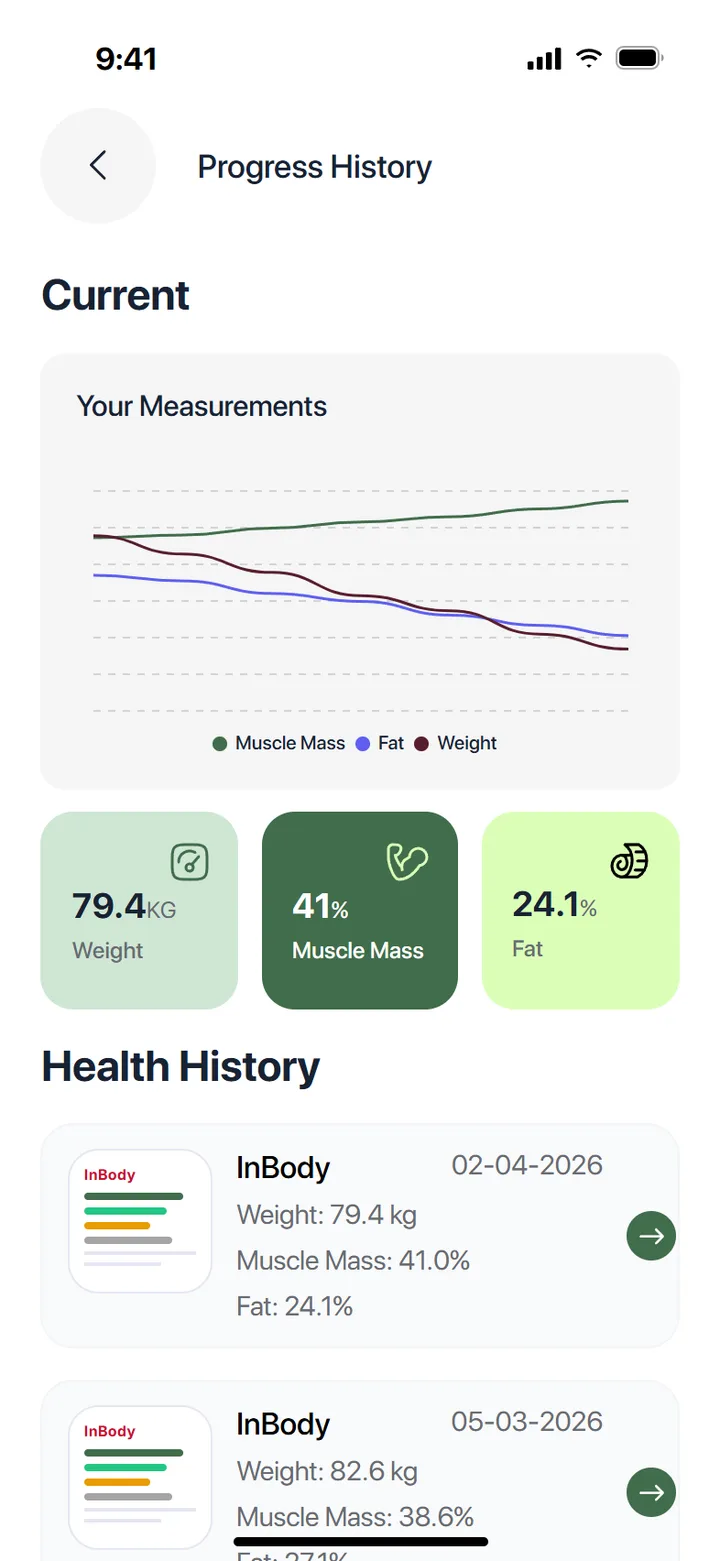
05 · Progress
Results, not just meals
Weight, muscle mass and fat over time, with InBody history, so the plan is judged on outcomes.
Details that make it trustworthy
Allergies checked on the phone
Every ingredient carries allergy and dislike IDs. Meals with an allergen are greyed out and can't be picked, before anything reaches the server.
Two API shapes, one menu
The backend moved from one box per day to several. The app normalises both shapes, so old and new plans render the same calendar.
Translations from the server
English and Arabic load at runtime with a cache and bundled fallback, and the whole UI flips right-to-left, down to Arabic numerals in the wheel pickers.
Updates steered from the backend
The backend decides whether an app update is forced or optional, and a service-unavailable screen replaces cryptic errors during maintenance.
/Behaviour is configuration, not code
The platform behind it
The app is the visible tip. Underneath is a meal-subscription platform on Odoo with one rule: business behaviour is driven by configuration. Plans, meals, macros, pricing, delivery days and preferences are all data, so the same codebase can serve another operator by changing settings rather than program logic.
Plans come in three styles from one engine: calorie-based, fixed package, or make-your-own. Each carries its own boxes per cycle, delivery weekdays, macro ranges, flexibility rules and freeze or refund policy.
Functional areas
Sales → dispatch
Subscription actions
Never raw edits
App screens
Plus a 7-step wizard
REST endpoints
Member API on Odoo
Source · Diet Subscription Platform deck (2026) and the app source
One delivery day, from menu to doorstep
- 1
Customer
Selects meals
Choices are constrained by the plan and versioned on every change, giving a fully auditable history.
- 2
Operations
Generates the day
The system computes meals, boxes and components for the delivery date.
- 3
Kitchen
Components & yield
Each day breaks down by ingredient: net weight, yield %, gross weight and variance, to drive procurement.
- 4
Dispatch
Draft → Ready
Orders queue against stock and routing, then are picked, packed and assigned by driver, city and zone.
- 5
Member
Tracks the box
The box status shows in the app, from preparing to delivered.
/Fresh, calm, clearly food
The design system
SF Pro Display · Interface · headings
Discover your Personalized Nutrition Plans
Inter · Numbers · macros · day strip
1,294 Cal · Protein 96g
Chip
8px
Card
16px
Sheet
24px
Button
32px
- Macro colours stay constant across the app: green protein, amber carbs, red fat.
- Screen sizes scale from a 393 × 852 design canvas.
Eight screens, recreated from the source
Screens shown are recreated from the app's source code and assets. Prices, macros and names are representative.
Also in the app: dietitian booking with live availability, freeze and unfreeze, renew and change plan, delivery-slot selection, push notifications, partner benefits, and 20 skeleton loaders that hold each layout while data loads.
Next / Mobile app · White-label
Gym Platform