70%
The first five minutes of a meal-plan app, done properly.
70% is a new personalised meal-plan delivery app. Before menus and subscriptions, it needed the part every user touches first: a welcome that sells the idea, and a sign-up, log-in and recovery flow that is quick on a phone and secure underneath. This is that foundation.
- Stage
- Foundation build
- Platforms
- iOS · Android
- Flow
- 7 screens
- Languages
- EN · AR-ready
Role
UX/UI, mobile architecture, onboarding & auth
Stack
- React Native 0.81
- React 19
- Redux Toolkit
- Encrypted storage
- i18next
- React Navigation 7
Chapters
/Why build auth first
Start with the door
Scope, stated plainly: this build covers onboarding and authentication. Menus, plans and ordering come next on the same foundation.
A meal-plan app lives or dies in its first minute. If the welcome doesn't say what you get, or sign-up asks too much, nobody ever sees the menu.
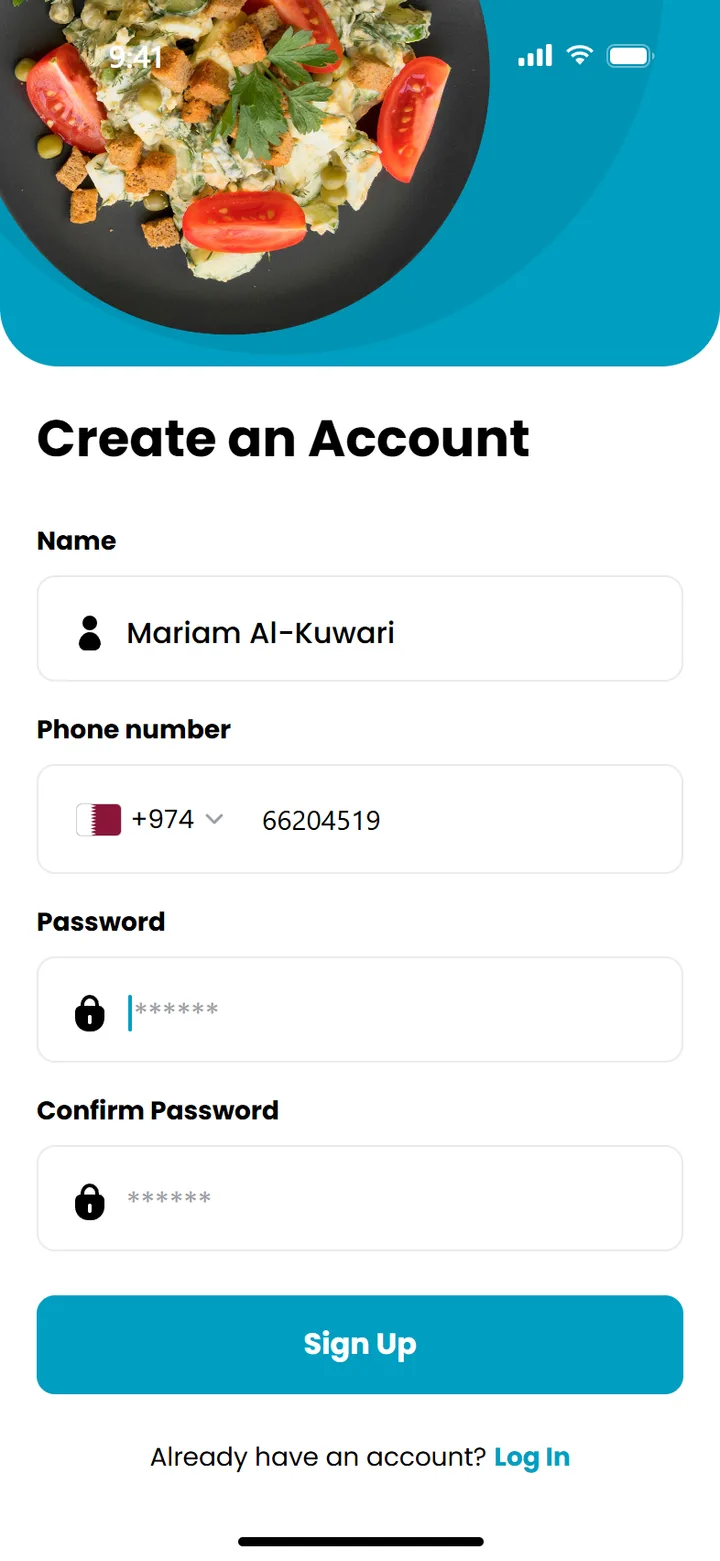
So the first milestone was the whole front door: two onboarding moments that sell the promise, personalised meals, delivered daily, then phone-number sign-up, log in, and a password recovery flow with a one-time code.
/Seven screens, one straight line
The flow
Scroll through the journey from first launch to a reset password.
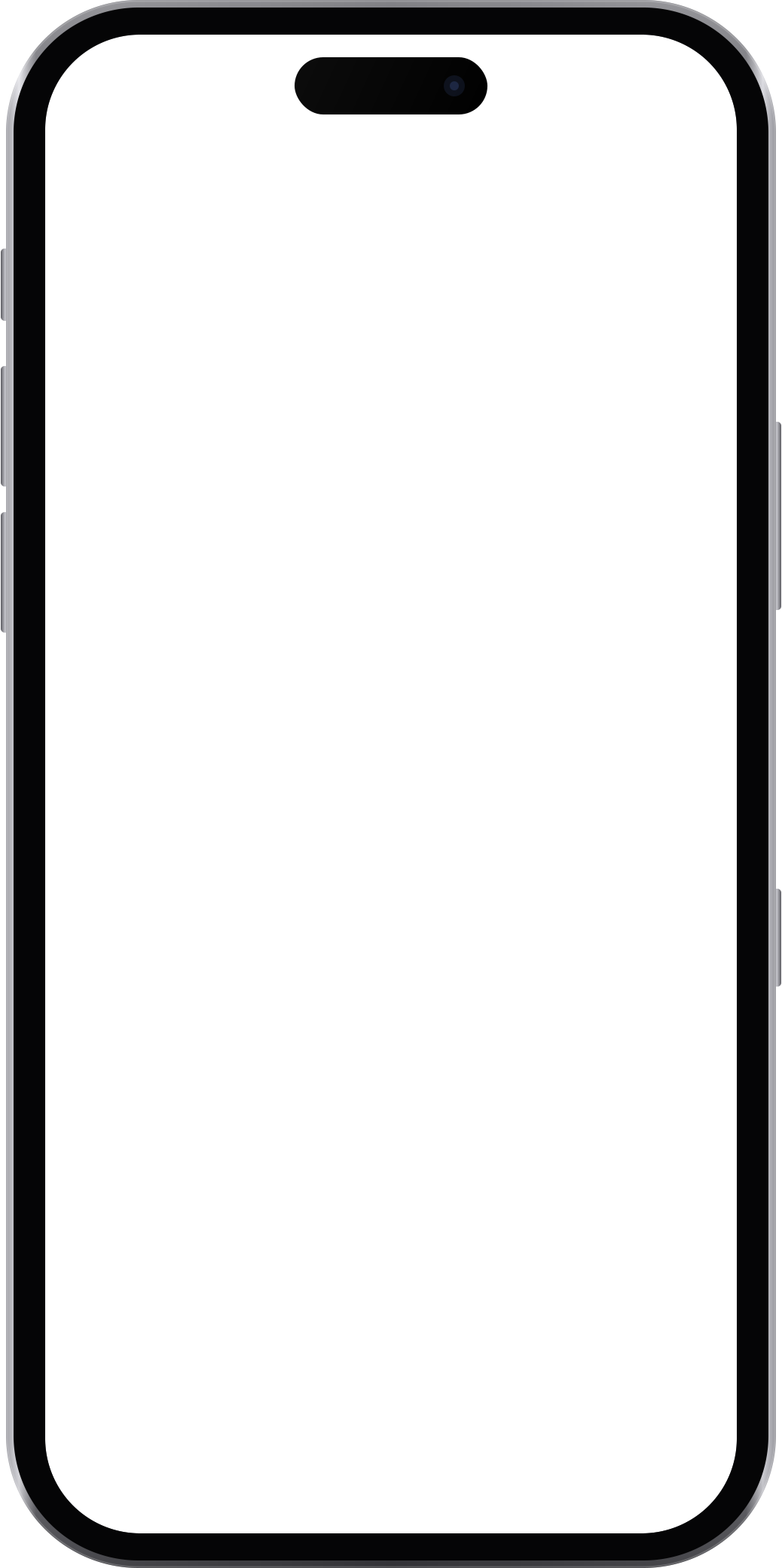
01 · Onboarding
Lead with the food
A full-bleed spread and one line of promise: personalised meal plans that fit your goal, a tap away.
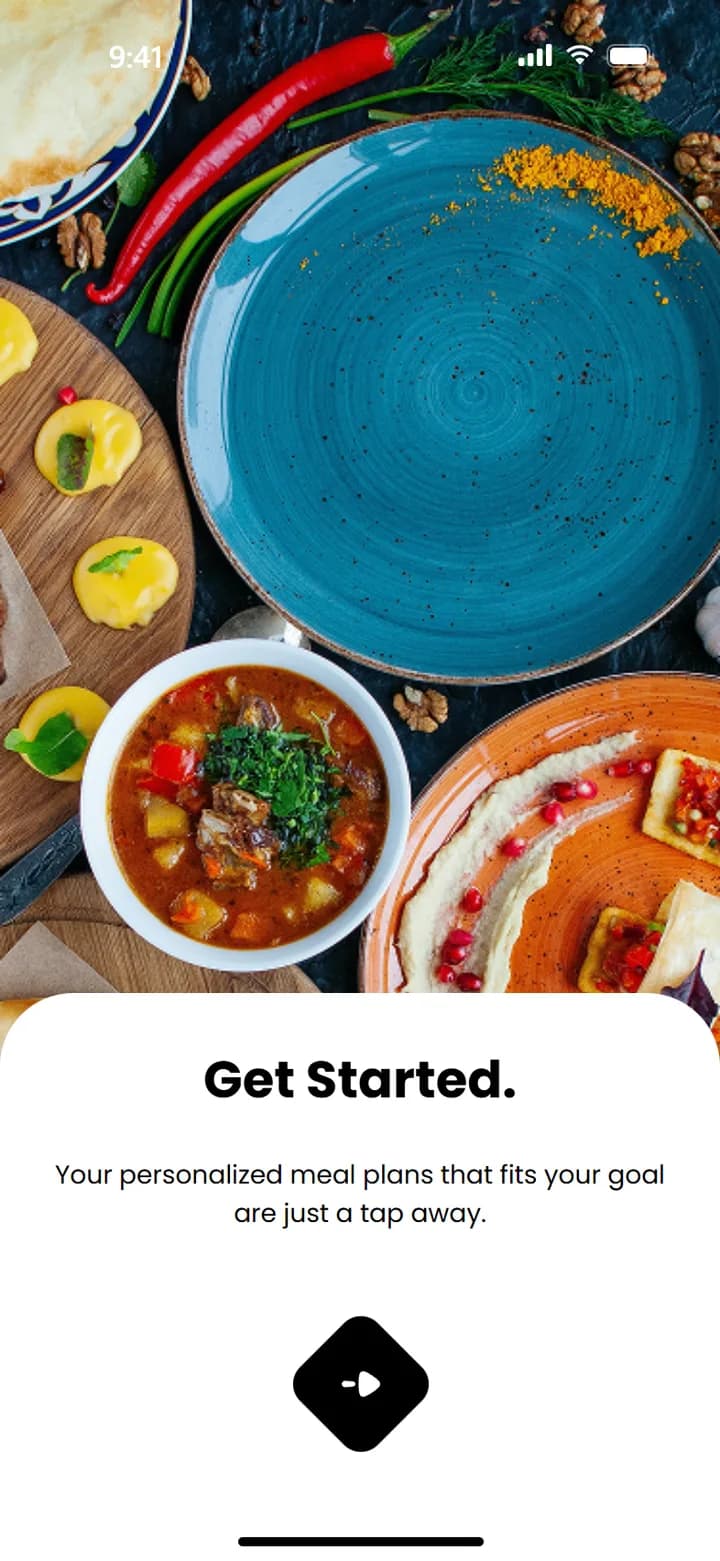
02 · Walkthrough
Then the delivery
The second moment answers “how does it reach me?”: the healthy lifestyle at your doorstep.
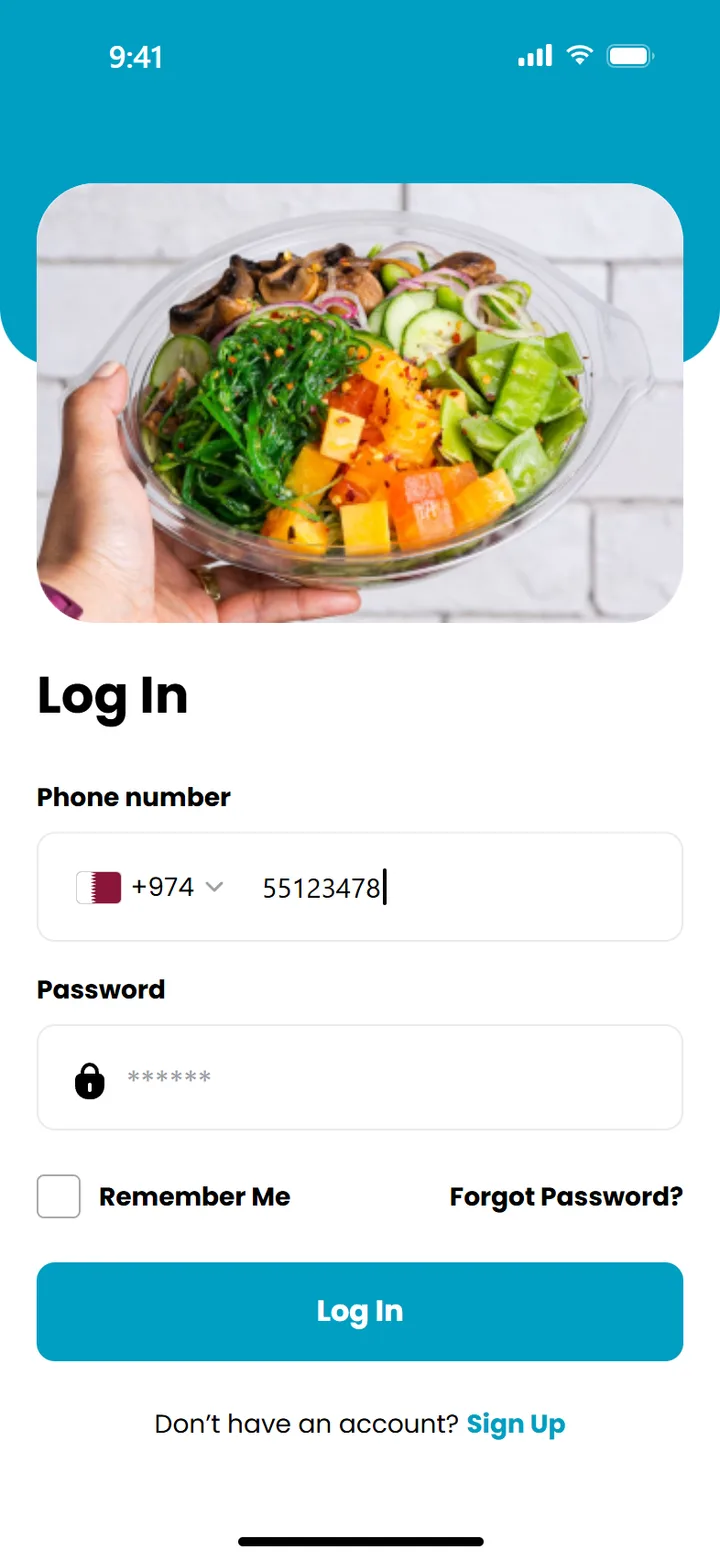
03 · Log in
Phone first
Log in with a phone number and country code, as people in the Gulf expect, plus Remember Me and a clear path to recovery.
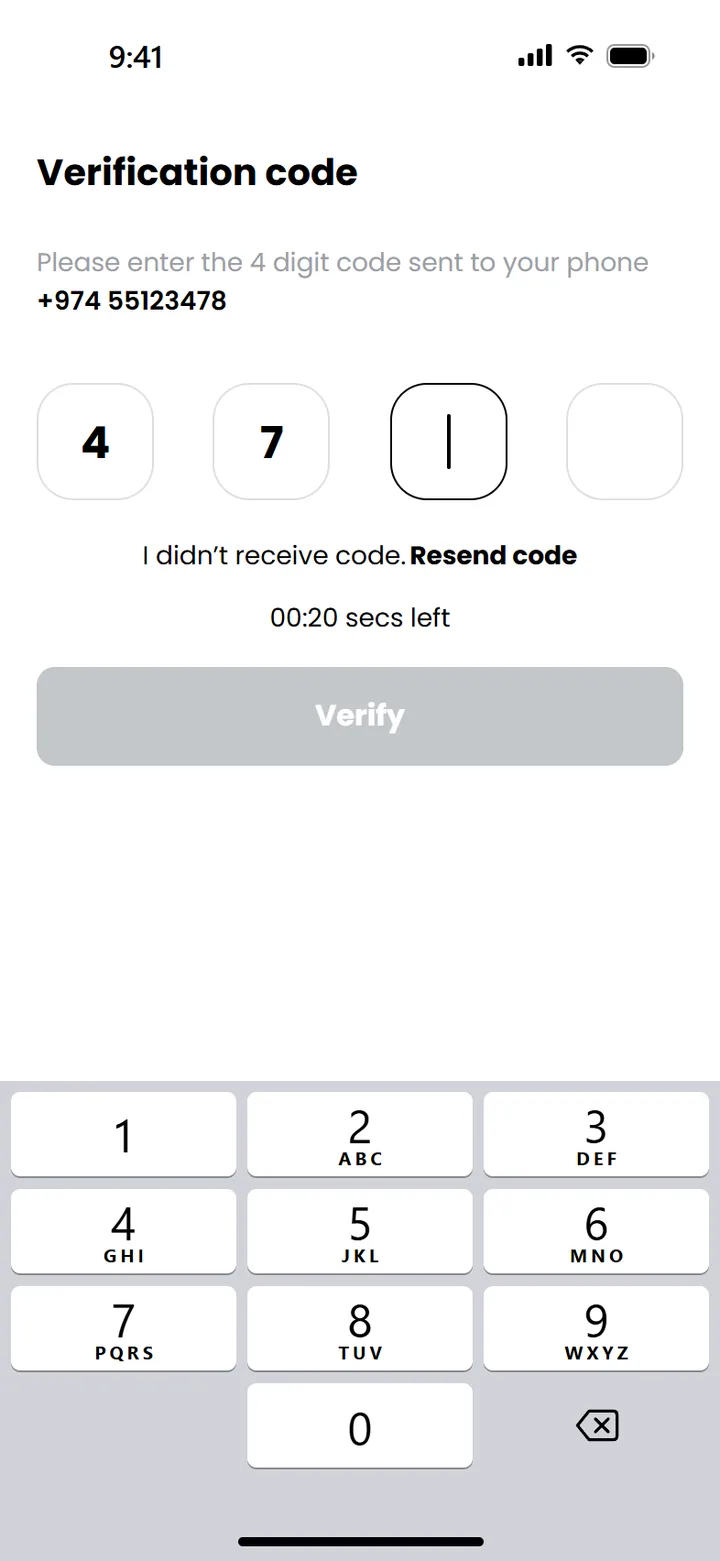
04 · Verify
A code that submits itself
Four boxes, a countdown before resend, and verification the moment the fourth digit lands. No extra tap.
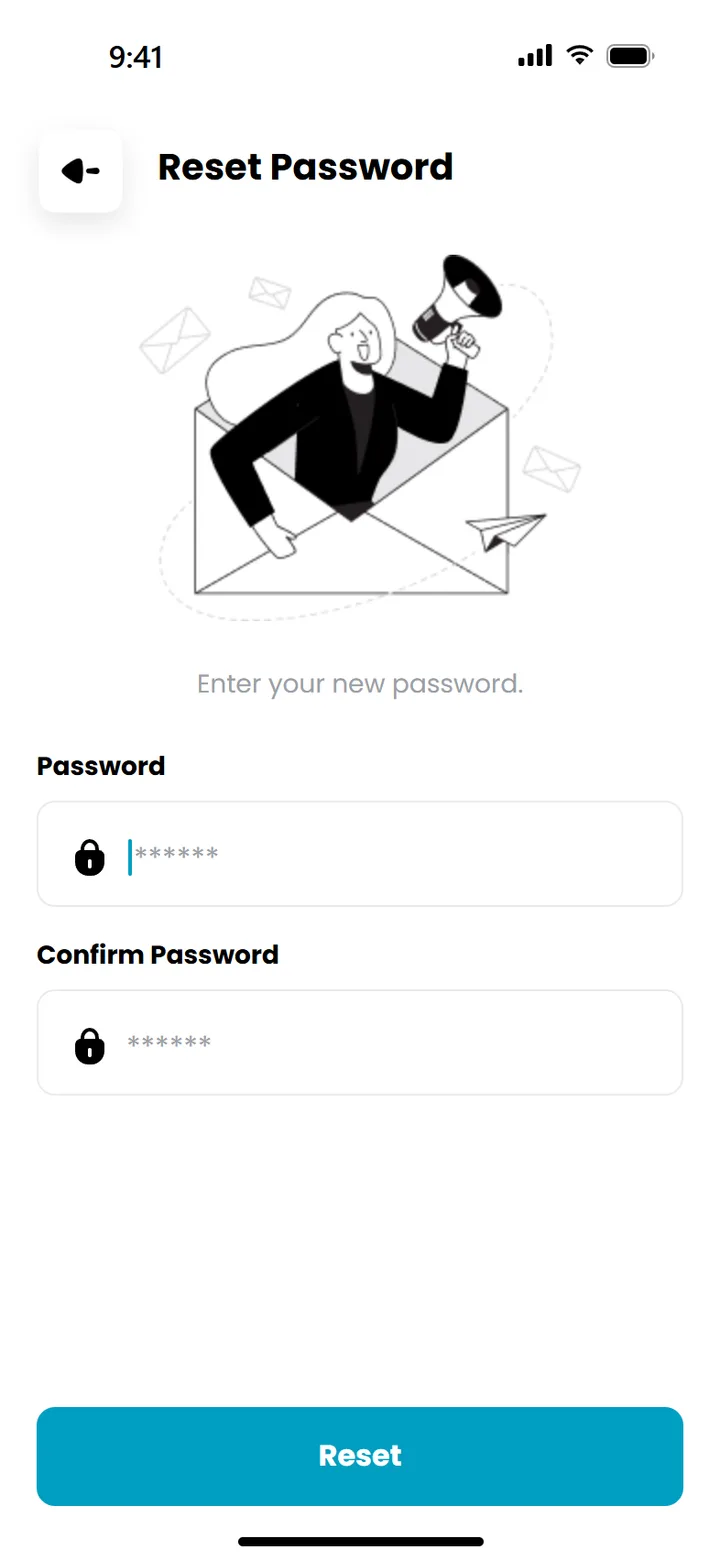
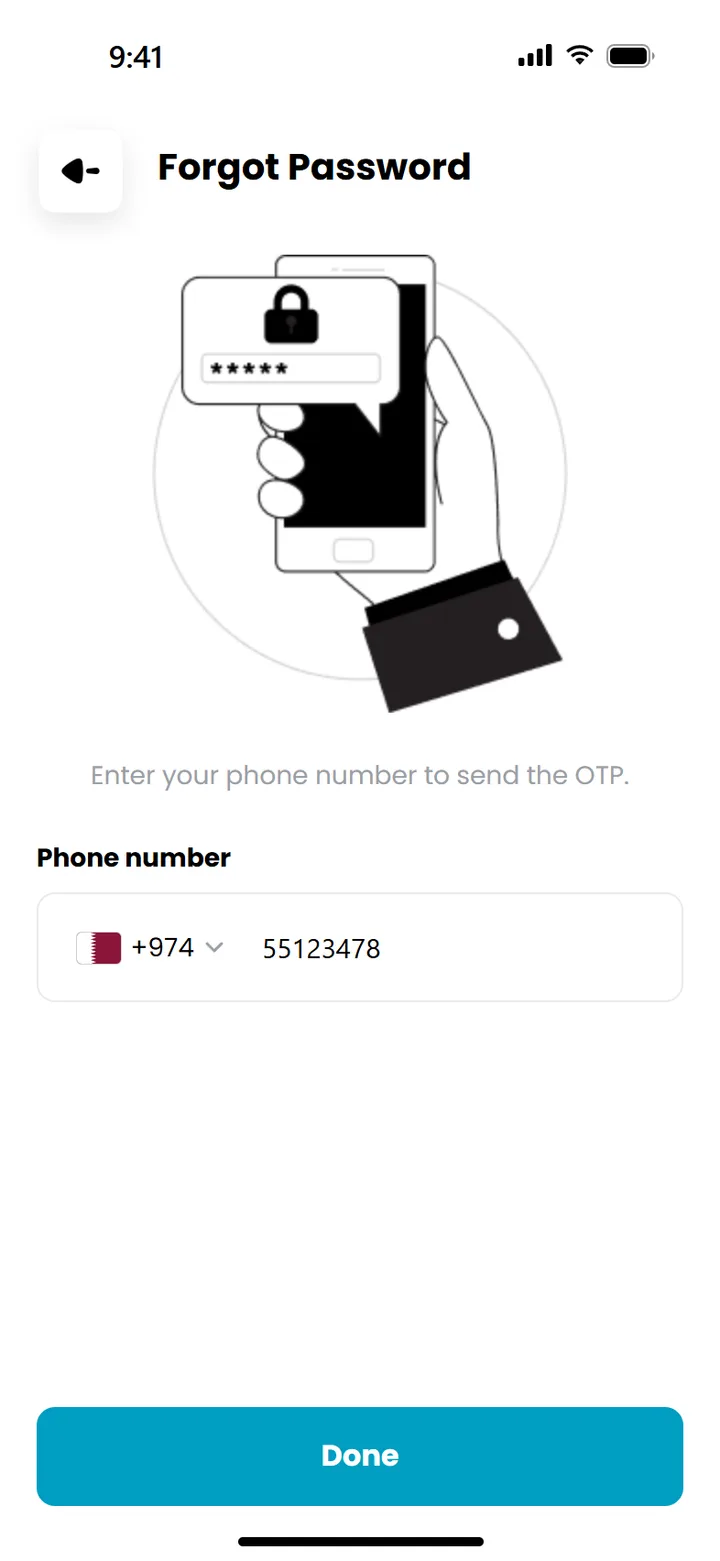
05 · Reset
Back in, cleanly
Set a new password and the stack resets straight to log in, so there's no back-button trap.
/Foundations the next screens inherit
Built to grow
Logic separate from layout
Every screen splits into a controller hook, a typed interface and a memoised view, so screens stay testable and designers can change layout without touching logic.
Encrypted session storage
The session and language persist through redux-persist on encrypted storage: Keychain on iOS, Keystore on Android. Nothing sensitive sits in plain text.
Arabic from day one
i18next with English and Arabic files, text direction handled per language, and icons that mirror in right-to-left, set up before there's much to translate.
One canvas, every phone
All sizes scale from the 393 × 852 design canvas, so the design specs map 1:1 and hold up on smaller and larger devices.
Poppins · Headings · 28 Bold
Create an Account
Poppins · Body · 14 Regular
Your personalized meal plans are just a tap away.
Input
10px
OTP box
20px
Hero
32px
Sheet
40px
Screens shown are recreated from the app's source and assets. Typed names and numbers are examples.
Next on the same foundation: the plan builder, the daily menu, ordering and delivery, and push notifications, with the API layer and notification service already stubbed in.
Next / Website · Information architecture
PureSAF